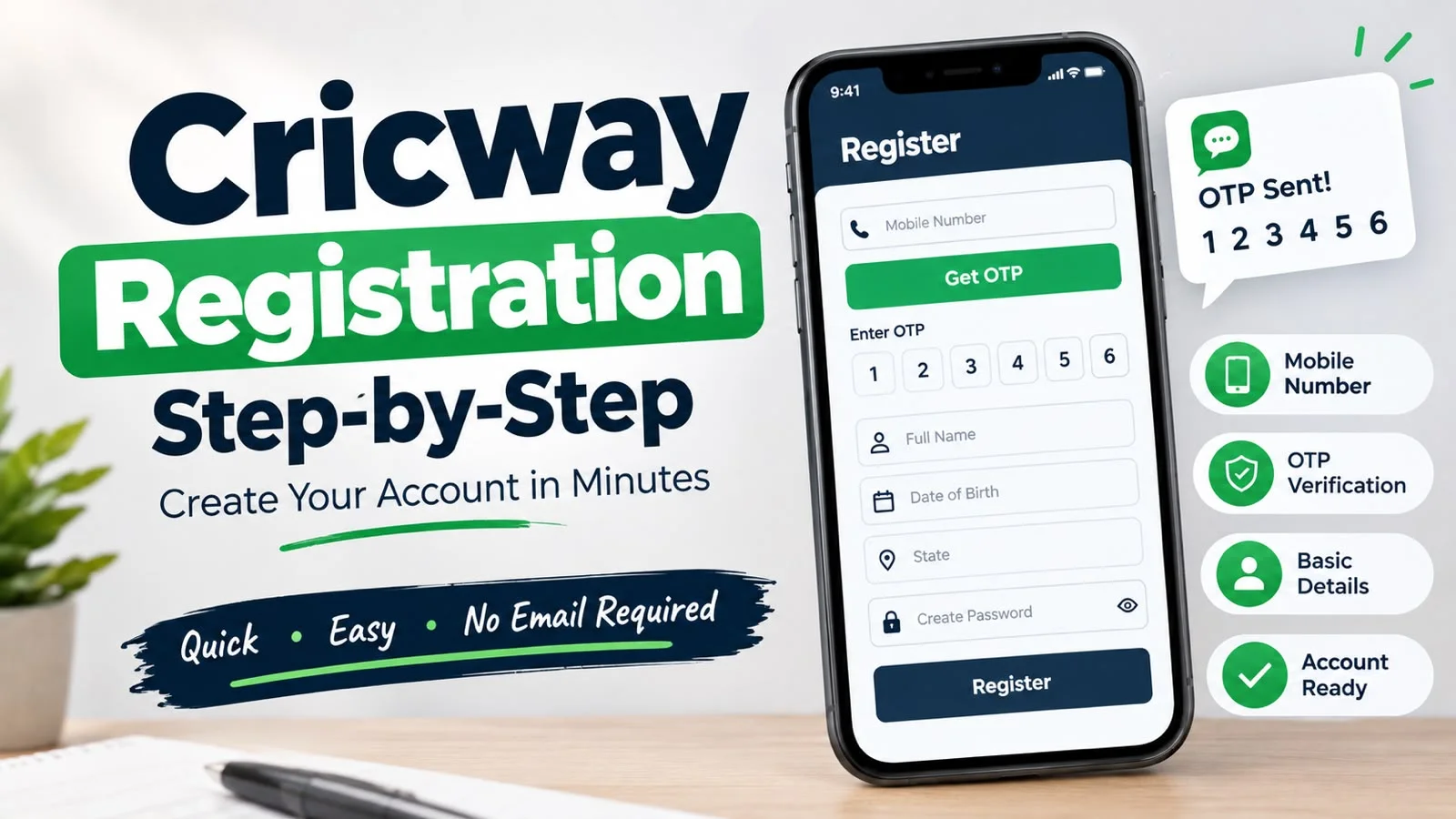

Creating a Cricway account takes minutes. Mobile number. OTP. A few details. You are in.
No email. No lengthy forms. The Cricway registration runs in your phone browser. Open the site. Tap register. Go.
This blog walks through the process. The steps. The documents. The common problems. Everything a new user needs before their first login.
What You Need Before You Start
Registration needs very little. Here is the full list.
A mobile phone. An active mobile number. Your basic details. Name. Date of birth. State.
This is it. No email address. No documents at this stage.
Keep your phone nearby. The OTP arrives by SMS. You need the phone to complete the cricway sign up.
One more thing. Use a mobile number you will keep active. The cricway login depends on the OTP. If the number stops working, you lose access to the account.
Do not use a temporary number. Do not use a number you plan to change. The account is tied to it. Changing the number later means contacting support and going through a verification process. Save yourself the trouble. Use your permanent number from the start.
Step-by-Step: Creating Your Account
Here is the full cricway registration walkthrough.
One. Open the Cricway site in your phone browser. Type the address. No download needed.
Two. Find the Register or Sign Up button. It sits on the home screen.
Three. Enter your mobile number. Use a number you have active access to.
Four. Tap to request the OTP. A six-digit code arrives by SMS.
Five. Enter the code in the box provided.
Six. Fill in your details. Name. Date of birth. State.
Seven. Create a password if the page asks for one.
Eight. Accept the terms and conditions. Tap Submit.
Your cricway account is ready. The whole process takes under five minutes.
Take your time on step six. The details you enter here must match your KYC documents later. A small typo in your name causes a big problem later. Get it right now.
If you make a mistake, you can correct it in your profile settings after registration. But fixing errors early is easier than fixing them after KYC submission. The review team compares your profile against your documents. Mismatches slow the process.
Also check – Cricway App Download: How To Access Cricway On Mobile
Why Registration Matters More Than You Think
Most users treat registration as a formality. They rush through it. They enter details without checking. Then they hit problems later.
Here is why the cricway register step matters.
The details you enter become your account record. Your name. Your date of birth. Your state. These details tie to your KYC. They tie to your withdrawals. They tie to your support requests.
If your name is spelled wrong, KYC fails. If your date of birth is wrong, verification flags it. If your state does not match your documents, the review team questions it.
Five minutes of care at registration saves hours of frustration later. This is the single most important step in the cricway sign up process.
The OTP Verification at Registration
The OTP is the security step. At registration, it does something specific. It confirms the mobile number you entered is real. It confirms the number belongs to you.
Here is how the check works. You enter your number. You request the code. The system sends a six-digit OTP by SMS. You type it in. The system verifies the number matches.
This step matters for two reasons.
First, it stops fake registrations. Someone cannot create an account with a random number. They need the phone.
Second, it protects your account. When you log in later, the same OTP system verifies it is you. No password to steal. No credentials to leak.
The code arrives within seconds in most cases. It is valid for a short window. If you do not use it in time, request a new one.
Here is the key rule. Never share your OTP with anyone. Not with friends. Not with anyone who claims to be from Cricway. The real team never asks for it. If someone asks, it is a scam.
If the OTP fails repeatedly, check your signal. Weak networks delay SMS delivery. If the problem continues, contact support through live chat.
Setting Up Your Cricway Account
After registration, your account is live. But it is not fully set up. Two more steps matter.
Complete your profile. Fill in any missing details. The more complete your profile, the smoother the experience. Check your name spelling. Check your date of birth. Check your state. These details feed into KYC.
Add KYC details when ready. KYC is required before withdrawal. The documents are Aadhaar, UPI, and bank account details. Upload clear photos.
Here is the part most users miss. The name on your Cricway account must match the name on your bank account. Exactly. Same spelling. Same initials. Any mismatch causes rejection later.
This is the single biggest cause of failed withdrawals. Get it right during cricway account setup. It saves you a headache.
Upload clear photos. Blurry images get rejected. Take the photo in good light. Make sure all four corners of the document are visible. The review team needs to read every detail.
Common Registration Problems
Most cricway registration issues have simple fixes.
OTP not received. Check your signal first. Weak network means slow SMS. Wait 30 seconds. Request a new code. If it still does not arrive, contact support.
Number already registered. Your mobile number may be linked to an existing account. Contact support. They resolve this.
Details rejected. Check your spelling. Match your documents exactly. Small errors cause rejection.
Page not loading. Clear your browser cache. Try a different browser. If it persists, contact support.
Wrong number entered. If you typed the wrong mobile number during cricway register, the OTP goes to the wrong phone. Start the process again with the correct number. Do not wait for a code that will never arrive.
These problems are rare. When they happen, the fixes are quick.
What Comes After Registration
Your cricway account is ready. What next?
Log in. The cricway login uses your mobile number and OTP. Same process as registration. No password needed.
Explore the platform. Check the games. Check the wallet.
Complete KYC early. Do it on day one. Do not wait until you want to withdraw.
Deposit when ready. Local payment methods work. UPI is the fastest.
This is the cricway registration process. Simple steps. Clear rules. Get the details right and the rest is smooth.
Read more – Cricway: Cricket Betting, Live Sports, Games And Platform Guide